
Any questions?
+34 655 641 050 >
 Alfa Romeo
 Audi
Audi
 Bentley
 BMW
BMW
 Cadillac
 Chevrolet
 Chrysler
 Citroen
 Dacia
Dacia
 Daewoo
 DAF
DAF
 Dodge
Dodge
 Ferrari
 Fiat
Fiat
 Ford
Ford
 GMC
GMC
 Honda
Honda
 Hummer
 Hyundai
 Infiniti
 Iveco
Iveco
 Jaguar
 Jeep
Jeep
 Kia
Kia
 Lada
Lada
 Lamborghini
 Lancia
 Land Rover
 MAN
MAN
 Maserati
 Maybach
 Mazda
Mazda
 Mercedes Benz
 MG
MG
 Microcar
 Mini
Mitsubishi
Mini
Mitsubishi
 Multicar
 Nissan
 Opel
Opel
 Peugeot
 Porsche
 Renault
 Rover
Rover
 SAAB
SAAB
 Seat
Seat
 Skoda
Skoda
 Smart
Smart
 SsangYong
 Subaru
 Susuki
 Toyota
 Volkswagen
 Volvo
Volvo
 Immobiliser deactivation in Murcia
 Car key copying in Murcia
 Particulate filter cleaning in Murcia
 Lost car keys in Murcia
 Hybrid and electric car battery repair in Murcia
 ECU repair in Murcia
Instrument cluster repair in Murcia
ECU repair in Murcia
Instrument cluster repair in Murcia
 Electric power steering repair in Murcia
 Car key repair in Murcia
 ABS module repair in Murcia
 CAS module repair in Murcia
 FRM module repair in Murcia
 SRS module repair in Murcia
 Renault and Dacia UCH repair in Murcia
ECU remapping in Murcia
Renault and Dacia UCH repair in Murcia
ECU remapping in Murcia
 Car key cards in Murcia
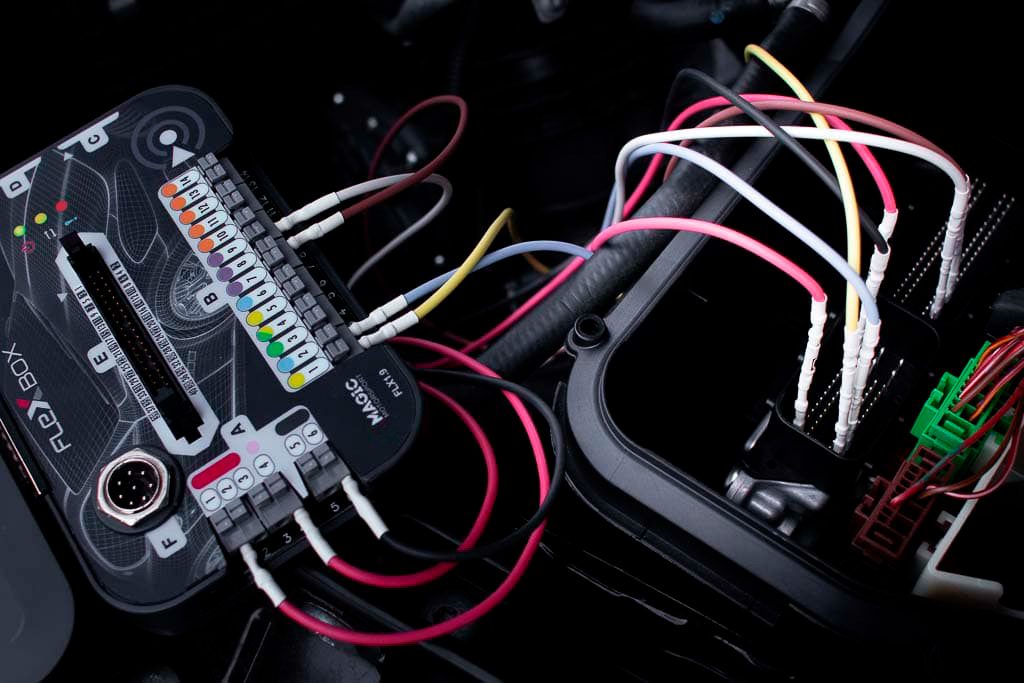
Before connecting Flex to a vehicle to read, write, or clone the ECU, there is a key step that many professionals overlook: consulting the official list of compatible vehicles.
Doing so can save you from costly mistakes, wasted time, and even damaged control units.
The Flex Vehicle List is an official database by MagicMotorsport that compiles all vehicles compatible with the Flex tool. Before starting any intervention, you can check if a car or motorcycle is:
Compatible with reading and writing via OBD, Bench, or Boot.
Only compatible for reading or only for writing.
Partially supported (for example, only the Flash memory).
This list is constantly updated and is essential for avoiding damage or bricking, especially in protected or newer units.
Checking compatibility is easy, but you need to have some key data at hand:
Make, Model, and Year: This is the fastest way to start. For example: BMW, 3 Series (F30), 2016. This filters results and lets you know if your unit is currently supported.
ECU or TCU Type: If you know the specific control unit model (e.g., Bosch EDC17C50, Delphi DCM6.2, etc.), you can perform a direct search. This is extremely useful for bench work with loose units.
Possible reasons and solutions:
The vehicle is too new: Flex might not have added support yet. Check the official website regularly, as updates are frequent.
Undocumented electronic variant: Some models share the same bodywork but use different ECU versions.
Incomplete or incorrect data: Ensure you are using the correct model name and exact year. For example, search parameters can be sensitive to specific designations (e.g., "Golf 7" vs. "Golf VII").
What can you do?
Contact MagicMotorsport technical support: In some cases, they can confirm compatibility even if it’s not listed yet.
Consult technical forums or Flex user communities: Often, other professionals have prior experience with that specific unit.
Use an alternative tool if urgent: While Flex is very comprehensive, it does not yet cover 100% of cases.
✅ Avoid physical damage to the ECU.
✅ Save time by avoiding connections that won't work.
✅ Increase the safety of the entire process.
✅ Better plan your intervention: OBD, Bench, or Boot.
✅ Improve your quotes based on the specific type of work the unit requires.
At Ecumotorstock, beyond repairing and programming ECUs, we train you to use Flex safely and professionally. We teach you how to interpret the compatibility list, plan your tasks, and always have technical backup.
Unsure about a vehicle? Write to us, and we will help you before you connect anything.
{"one"=>"Select 2 or 3 items to compare", "other"=>"{{ count }} of 3 items selected"}
 ECU cloning
 ECU rental
 BCM repair
 ECU sales
 Audi
Audi
 Lexus
Lexus
Leave a comment